Creative Brief
For: Founders and marketers agreeing the direction.
You’ll get: Audience, offer, message, proof, deliverables and approval prompts. Start with the decision the creative needs to support.
PDF + editable offline HTML
Famekite / free resource pack
Brief the idea. Shape the script. Plan the test. Six practical tools for founders, marketers and creative teams—from the first decision to the final publish.
Free tools, no signup
Calculators and generators that run in your browser. Nothing you type is sent anywhere.
Free to read, no signup
Worked examples you can copy today. Start with whatever you are working on this week.
From first brief to final publish
Pick the one you need today. Keep the others for the next handoff, test or launch. Each tool includes a printable PDF and an editable worksheet that opens in your browser and works offline. No coding needed.
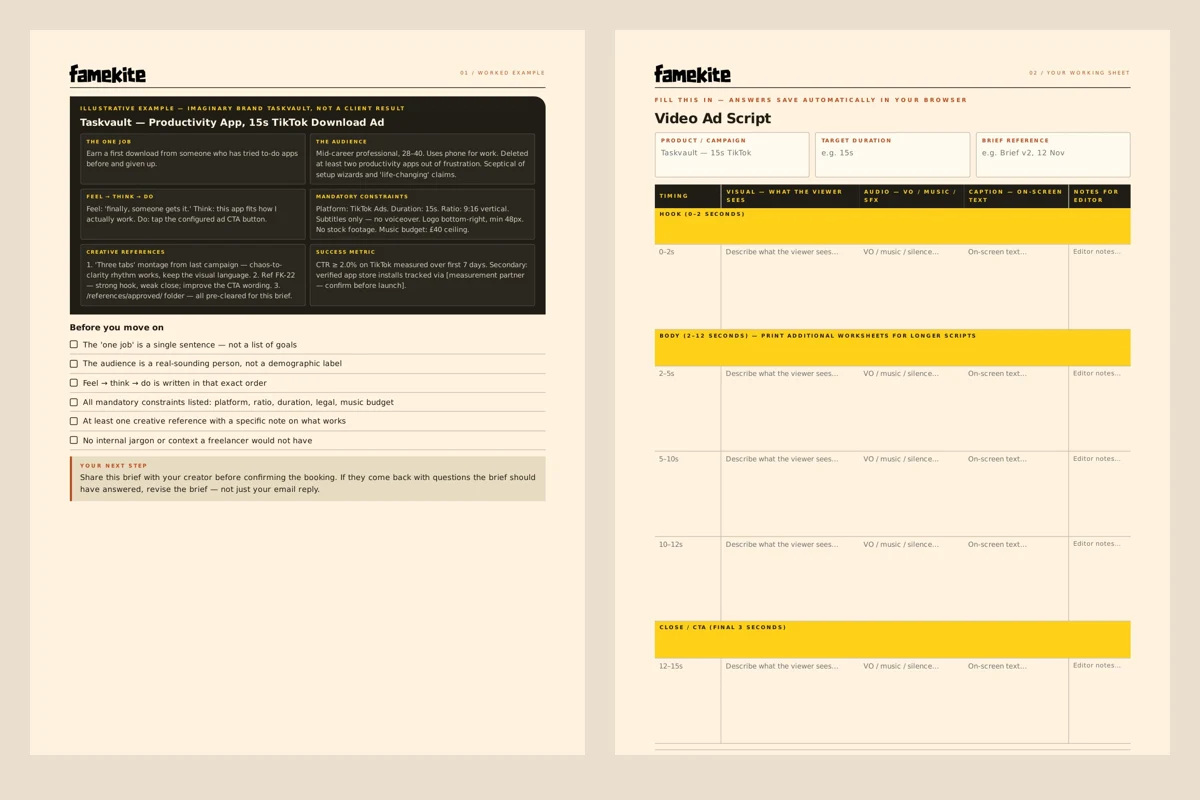
For: Founders and marketers agreeing the direction.
You’ll get: Audience, offer, message, proof, deliverables and approval prompts. Start with the decision the creative needs to support.
PDF + editable offline HTMLFor: Teams turning an idea into a shootable ad.
You’ll get: A hook-to-action structure, scene and voiceover planning, on-screen text and a shot-by-shot handoff.
PDF + editable offline HTMLFor: Anyone briefing an editor with existing footage.
You’ll get: Source-file notes, timecodes, captions, export requirements and consolidated feedback in one place.
PDF + editable offline HTMLFor: Marketers comparing concepts without changing everything.
You’ll get: A test hypothesis, variants, primary metric, controls and a decision log—including when the result is inconclusive.
PDF + editable offline HTMLFor: App teams preparing a release across several channels.
You’ll get: A map of ad, store, landing-page and organic assets, with destinations, dependencies and approval owners.
PDF + editable offline HTMLFor: The person responsible for the final go-live.
You’ll get: Checks for claims, rights, captions, links, formats and sign-off before an asset leaves the review folder.
PDF + editable offline HTMLWant a closer look first? Read the creative brief preview and worked example.
Yours to put to work
Six tools. A PDF and an editable offline HTML file for each. One ZIP, ready to keep on your device.
One resource email with your code. No newsletter subscription. Requesting another code sends another transactional email.
Names and company are self-reported; email verification confirms access to an inbox, not someone’s identity. How we use your details.
You’re all set
Download the ZIP, unzip it, then open a PDF to read or an HTML tool to edit offline. Keep your completed files on your device.
DOWNLOAD THE PACK ↓If your download access has expired, .
Yes. All six tools come in one ZIP after email verification. Each includes a PDF and an editable tool that opens in your browser and works offline. No purchase or newsletter subscription is required.
Download and extract the ZIP, then open 00-START-HERE.html in your browser. Pick a tool, read its worked example and fill in your own worksheet. No coding or special software is needed. The separate PDFs are printable reading and writing copies.
Check the address you entered and your spam folder. Wait at least 60 seconds before requesting a replacement code. Only the newest code works, and it expires after 10 minutes. If you still cannot get in, contact [email protected].
No. It prepares the conversation. Deliverables, responsibilities, timing, revisions, rights and commercial terms still need explicit agreement before work begins.
These optional notes help you compare scopes and prepare an enquiry. They are not additional tools in the download.
These are planning boundaries, not fixed packages. Use one row or combine several in an agreed scope. Name an owner for each task; leaving a responsibility blank does not make it part of a creative fee.
| Workstream | Inputs to agree | Separate decisions |
|---|---|---|
| Paid-social creative | Audience, offer, claims, concepts, placements and versions | Who buys media, implements tracking and approves spend? |
| Short-form editing | Source footage, selection notes, captions, sound and exports | Who films, licenses assets and publishes the clips? |
| App-launch creative | Current product screens, use case, release plan and destinations | Who owns engineering, store submission and activation tracking? |
A finished asset is a production deliverable. A booked call, purchase or activated user is an outcome that also depends on the offer, audience and customer journey. Do not make the approval of one depend on an undefined promise of the other.
Bring unanswered questions to a conversation. “Not available yet” is more useful than guessed costs, invented performance numbers or an approval date no one owns.
Already know the goal? Copy this short request into your own document or email and replace the prompts. It summarises the checklist above; it does not replace an agreed scope. Write “not available” where an answer is missing.
Product link: [public product or destination URL]
Audience and goal: [who this is for and the action they should take]
Service needed: [paid-social creative / short-form editing / app launch / unsure]
Existing assets: [footage, timecodes, demo recordings, brand files; note gaps]
Deliverables: [concepts or clips, placements, versions and languages]
Usage rights: [permitted uses and any permissions still needed]
Timing and dependencies: [target date; files or approvals still outstanding]
Approval owner: [who consolidates feedback and signs off]
Budget boundaries: [production range if known; media spend kept separate]
Open questions: [what you need help deciding]
For example, “three clips from a supplied interview, timecodes provided, one caption language; posting excluded” is clearer than “three social videos.” This is an illustrative scope description, not a package or a promise that every interview contains three usable clips.
Keep credentials, private customer data and unrestricted asset links out of an initial enquiry. A public product link and an asset inventory are enough to start; agree a suitable file-sharing method separately.
Prefer a call? Bring these notes to the booking option on this page. Copying the request does not send it to Famekite, and the email link only opens your email app. You choose what to share and when to send it. Deliverables, rights, revisions, timing and commercial terms still need written agreement.
Before using a result to choose a direction, ask what it actually demonstrates. Our self-initiated creative concepts show visual execution, not client campaign outcomes. Our client stories preserve client-reported experiences rather than claiming independent measurement.
For example, the AI coding company testimonial includes a reported acquisition-cost change but lacks a reporting period, channel mix and measurement method. Read those limits alongside the statement; it is not a forecast for another business.
Your details, plainly
We collect your first name, last name, company and email when you request the pack. These self-reported details are stored in our private admin system so we can deliver and manage resource access. Verifying the code shows access to the email inbox; it does not independently verify your name or company.
The resource email is transactional: it contains the code needed for this download. There is no newsletter subscription. Asking for a new code sends a replacement email. Codes expire after 10 minutes and allow five incorrect attempts. A new code replaces the previous one; wait 60 seconds before requesting another. Download access lasts 24 hours, after which you may need to verify again.
Your editable tool answers stay in the files on your device; the tools do not send them to Famekite. We do not put your email or verification code in analytics, page URLs or browser storage. This browser uses a secure cookie managed by our server for download access.
For deletion of your submitted details or questions about retention, email . Unverified details are scheduled for deletion after 7 days; verified details after 180 days without verification or a successful download. Cleanup runs in batches when the service receives requests, so deletion may wait until the next request. You can also ask us to delete your details sooner.